A quick guide to temporary email
For the small, one-off messages you do not want mixed into your everyday inbox.
Choose the right kind of address
A temporary inbox receives mail for a short period, then access ends. An alias usually forwards mail to a permanent account. A normal mailbox is the better choice for ongoing conversations, recovery links and anything you must keep. MailBlink Free offers one automatic tempinbox.org inbox for 10 minutes or one hour. Basic supports three automatic mailfornow.net inboxes; Premium supports ten custom stellaremail.com inboxes. An account is required for Basic and Premium. Those addresses follow the subscription validity, while messages and attachments expire after seven days.
Get started in three steps
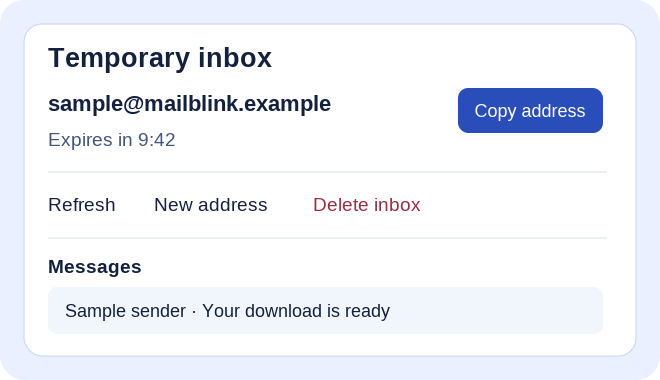
- Create. Open the inbox and select Create inbox. Choose a different domain or lifetime first if needed. The address appears as soon as the server creates it.
- Copy and receive. Use Copy address and paste the complete address in the sender’s form, where permitted. Keep the same browser profile available. The list checks for messages automatically. Select Refresh to check now, then select the subject to read it.
- Finish. Save only files you trust and still need. Select Delete inbox and confirm, or let it expire. Never make a temporary address the recovery address for an important account.
Start again with a new address
Select New Inbox in the top toolbar, choose the settings and confirm. The browser switches to the new inbox after creation succeeds. Your other active inboxes remain accessible in the inbox panel. To remove a whole inbox, select Delete inbox in More and confirm. Delete message removes only the selected message.
Keep access private
Your browser stores the private token used to reopen an active inbox. Sharing the token or browser profile can give someone else access. Clearing site data can make the inbox inaccessible. No sign-up does not mean guaranteed anonymity, and there is no free account recovery to restore lost access.
If the message does not arrive
Check the spelling and remaining lifetime first. If you are testing a download on a site you control, send a sample message from an address you own, wait briefly and select Refresh. The sender may be delayed or may reject disposable domains, and service limits can also prevent delivery. If the message matters, switch to a permanent mailbox. See support for more checks.
Understand what deletion means
Expiry ends access. A background process normally removes expired live data about once a minute, although outages can delay it. A confirmed deletion removes live data when the request succeeds. Recovery backups can retain older copies for up to 30 days; they are not a user recovery service. Read the Privacy Policy for the distinction.